Instagram Video and Photo Downloader
Fast tool to download Instagram Videos, Photos, Reels and Stories in HD
Instagram Photo Downloader
Enter the Instagram PHOTO URL below
Instagram Reels Downloader
Enter the Instagram Reels URL below
Instagram Story Downloader
Enter the Instagram Stories URL below
Instagram Highlights Downloader
Enter the Instagram Highlights URL below
Advertisement
SaveTheVideo - Instagram Photo and Video Downloader in HD
SaveTheVideo is a powerful tool designed to help you save your favorite photos and videos from Instagram to your device in just a few clicks. Since Instagram doesn't support direct downloads in their app, SaveTheVideo was created to overcome this limitation, allowing you to easily save Instagram content in the highest quality for storage or offline viewing anytime, anywhere.
As a dedicated downloader for Instagram, SaveTheVideo allows you to download any content, including Videos, Photos, Reels, Audio, Stories, Highlights, Avatars, and Video Thumbnails. Simply visit SaveTheVideo.App, paste the Instagram link into the input field, and hit Download to save the content to your device instantly.
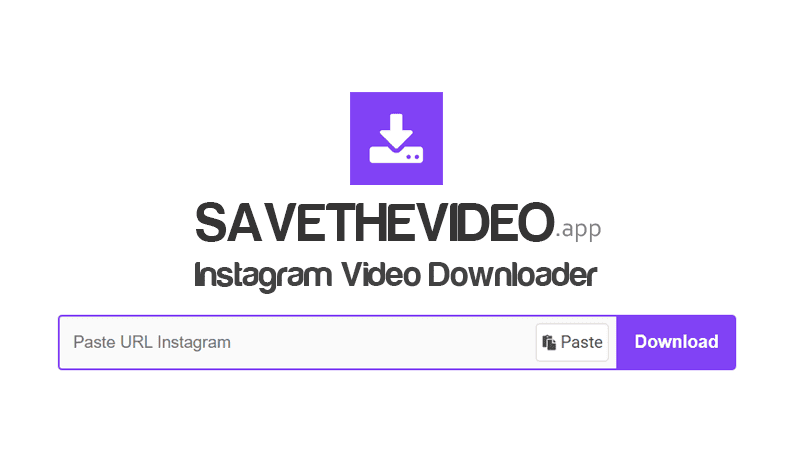
Our tool works perfectly on all platforms and devices, such as: PC, Mac, tablets, and smartphones (iPhone & Android). You can save Instagram content right on your web browser without installing any third-party software. With SaveTheVideo, downloading photos and videos from Instagram is fast, easy, and completely free—anytime, anywhere.
Key Features of SaveTheVideo
- Supports downloading all content from Instagram: Videos, Photos, Stories, Reels, Highlights, Audio, and Profile Pictures.
- Save videos in the best quality including HD, 1080p, 2K, and 4K, with the option to choose formats and sizes before downloading.
- Works seamlessly on all platforms and devices (PC, Mac, mobile) via web browsers or the dedicated Android app.
- Our global CDN network ensures high-speed connectivity and ultra-fast downloads no matter where you are.
- Completely Anonymous: No login required, no download history is stored, and all connections are secured with SSL encryption.
- Completely free of charge. We maintain our service with minimal, non-intrusive ads to ensure the best user experience.
How to download photos and videos from Instagram with SaveTheVideo?
- Step 1: Open the Instagram app or website and log in to your account.
- Step 2: Find the photo or video you want to save, tap the Three Dots (●●●) icon, and select Copy Link.
- Step 3: Navigate to SaveTheVideo.app, paste the link into the box, and press the Download button.
- Step 4: Wait for our server to process, then press the Download Photo or Download Video button to save the file.
How to copy the Instagram link for downloading?
To download photos or videos from Instagram (IG) to your device, you first need to obtain the link to that content. Please follow the instructions below for your specific device:
- On PC/Mac: Open the Instagram post you want to download and Copy the URL from the browser's address bar.
- On iOS/Android: Open the Instagram app, find the post, tap the Share icon or Three Dots (●●●) and select Copy Link.
SaveTheVideo is designed to help you download Instagram content for personal use or for content you own. We reserve the right to restrict or refuse our service if the tool is used to violate copyrights or the privacy of others.
View our full terms of service 👉 here 👈